Best touch controls setup for mobile
Last updated: Aug 9, 2025
Flying and especially fighting with mobile touch controls is a tricky challenge. It's a pain :) I used to play on my iPad without controller and keyboard. This is a completely different experience than playing on PC. Forget Arcade mode. You are easy prey even for bots. If you'd love to, you may use Arcade flight model in "safe" actions, e.g. station docking/undocking, mining etc.
Here's a how to:

Step 1. Click Advanced
Step 2. Click Settings
Step 3. Click Controls
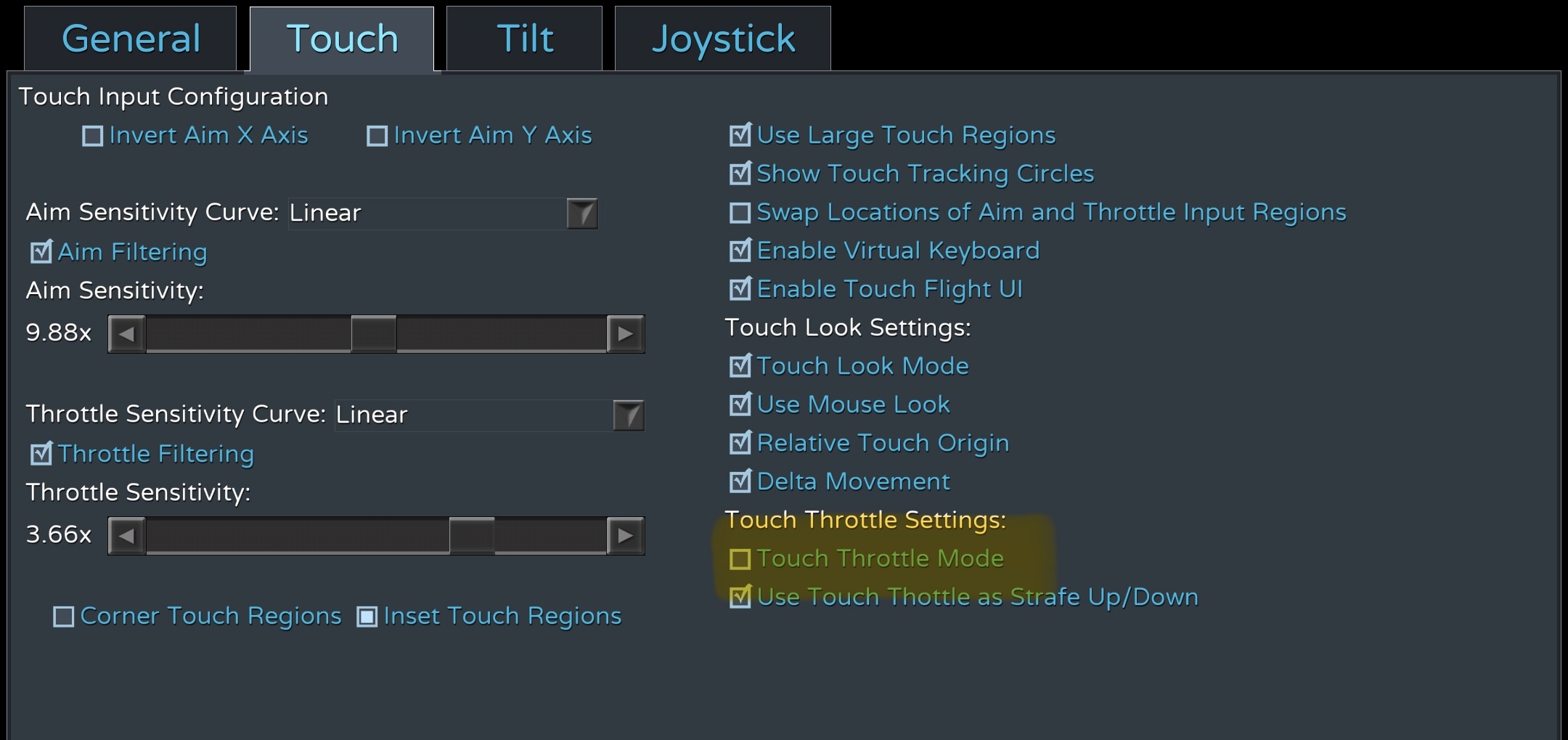
Step 4. Turn Off Touch Throttle Mode
Step 5. Turn On Touch Throttle To Strafe Up/Down
Step 6. Set your sensitivity to anywhere between 7.0 - 11.0
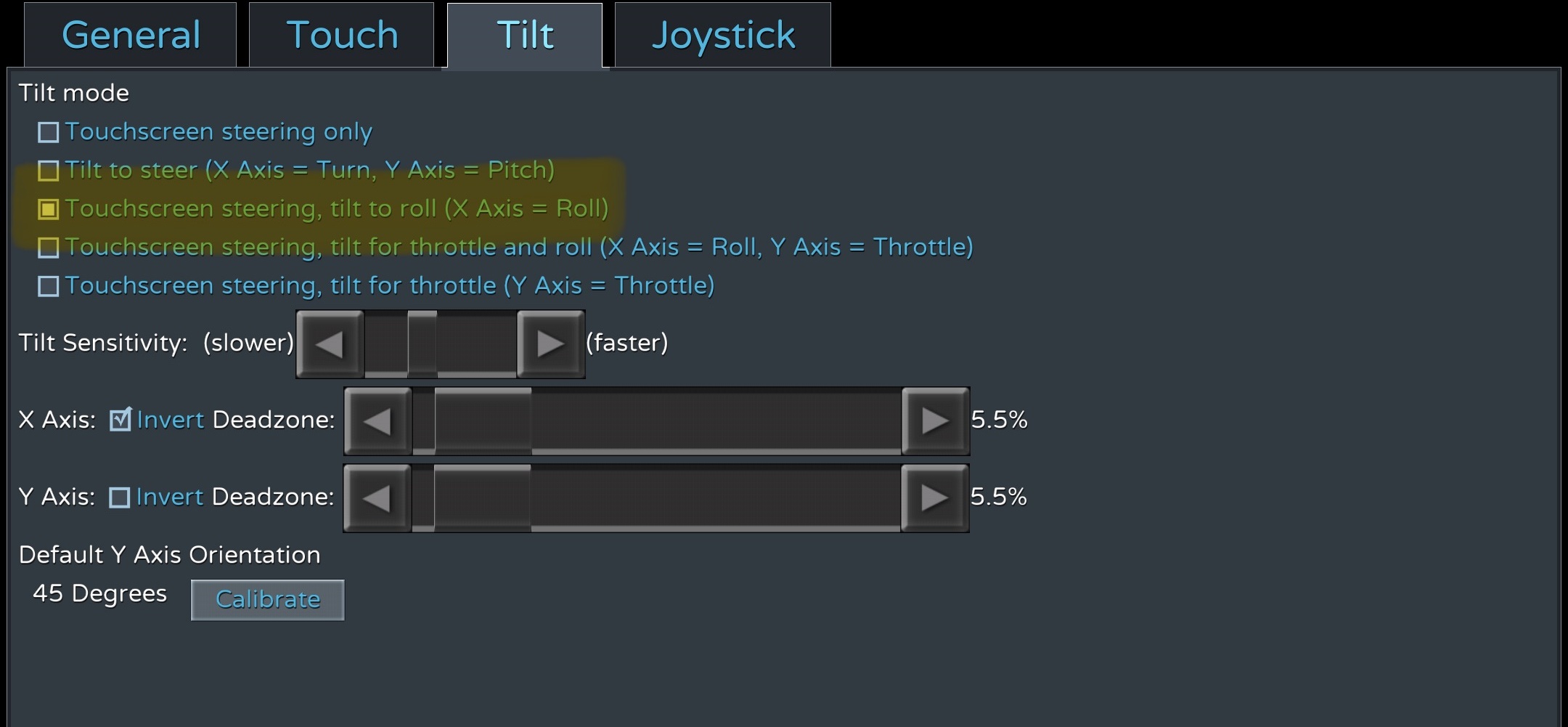
Step 7. Click Tilt
Step 8. Click Touchscreen Steering Tilt To Roll (X axis = roll)
Step 9. Click Game
Step 10. Change Flight Camera Mode to Third-Person Improved
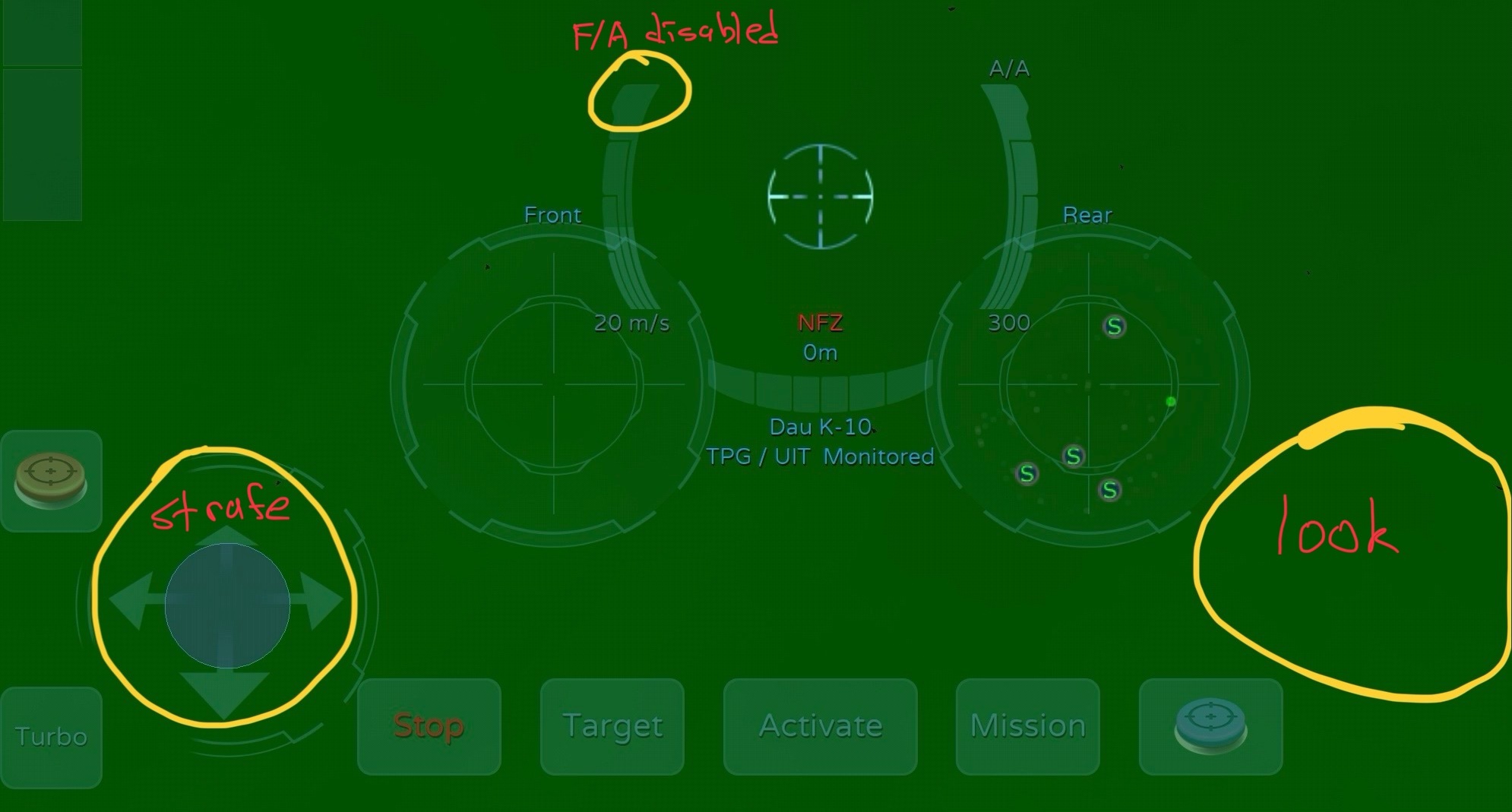
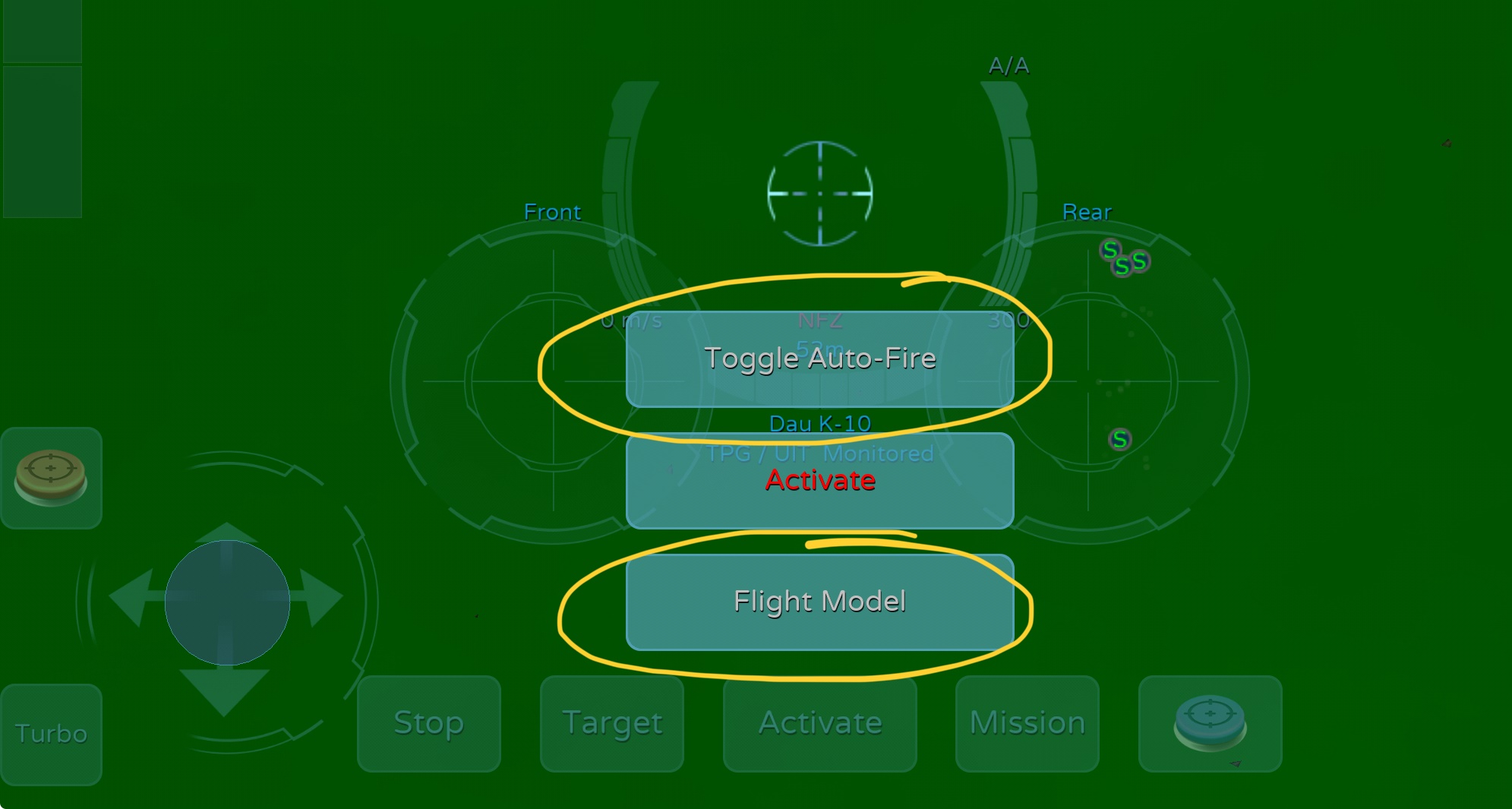
Step 11. Turn Off Flight Assist (do this by holding down your activate button)
Step 12. Enjoy
